Native Apple workspace · macOS & iOS
Peak is a native browser workspace for quick lookups, saved context, notes, boards, and whiteboards — and for building the sites, decks, and video that come out of them. Optional AI can run entirely on your own device, no key required. Local-first, private by default.
Scroll to climb
01
You shouldn’t have to re-explain your project to a blank box. Peak keeps your tabs, notes, and boards connected and one shortcut away.
02
No accounts, no built-in analytics. Your data stays on your device, syncs through your own iCloud, and your AI keys live in Apple Keychain.
03
AI is opt-in. Use it when it helps, ignore it when you want Peak to remain a quiet browser workspace. It’s a tool, not the centerpiece.
Now watch it work ↓
The same input that searches the web can start a note, spin up a task board, open a whiteboard, or ask an AI. Browsing flows straight into doing — all native, all in one workspace.
Fast WebKit browsing with a dozen search engines one keystroke away. Sessions, bookmarks, and history save automatically so a quick search never costs you your flow.
Structured block notes, Kanban task boards, and infinite whiteboards live right next to your tabs — turn a research session into a shipped project.
Run a model on the device itself — no account, no key, no bill — or borrow one from a Mac nearby. Prefer the cloud? Claude, GPT, Gemini, DeepSeek, Kimi and Grok through your own keys, held in Apple Keychain.
Local-first by default. No Peak account, no built-in analytics, and no Peak server holding your workspace. Network features connect only to the services and peers you choose.
Nearby devices discover each other directly — no accounts, no cloud relay. Local chat, shared tabs, synced workspaces, and multiplayer lobbies over Apple's Network framework.
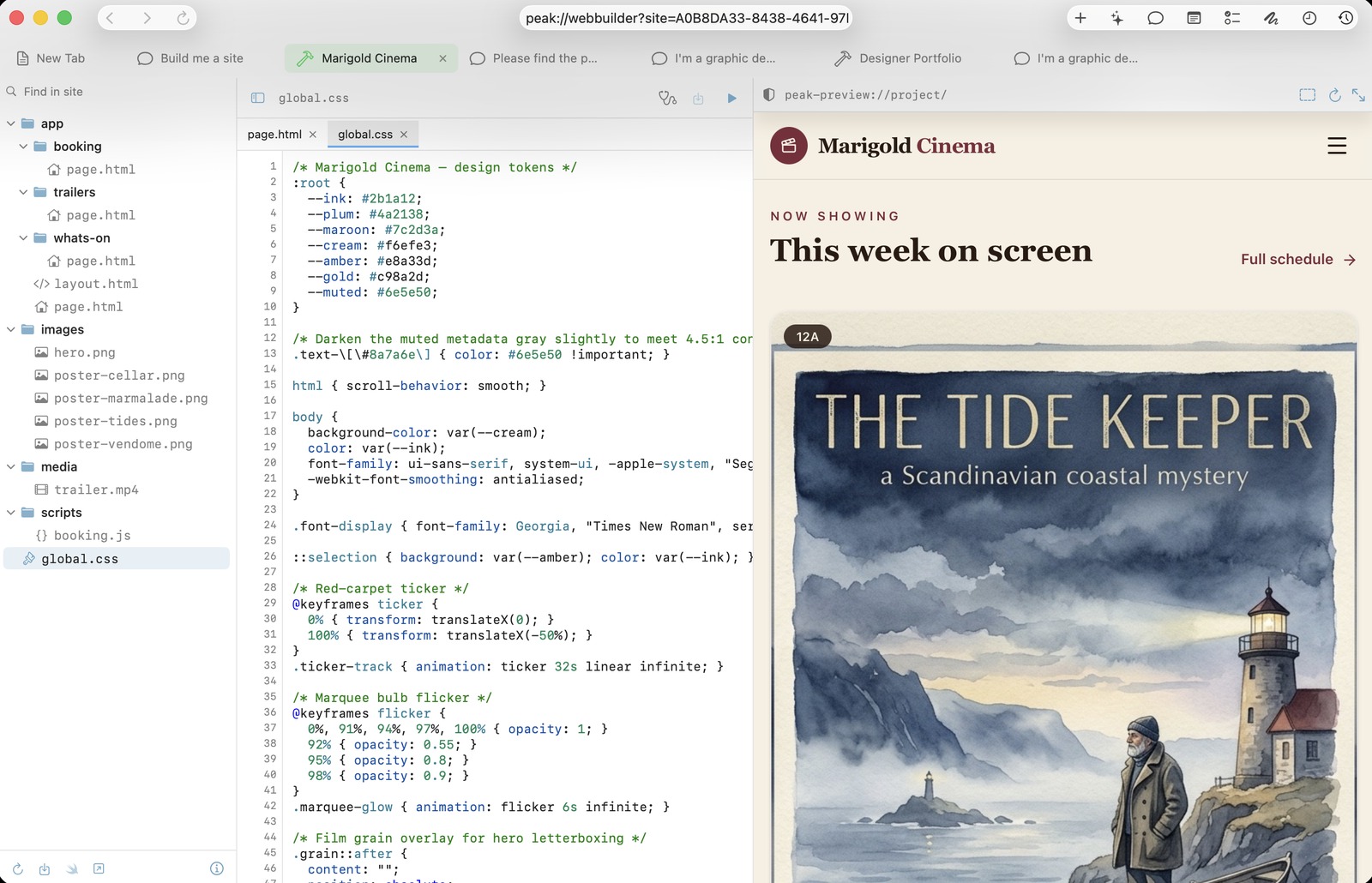
Build a multi-page site and export it as an Xcode project. Ask for a deck and edit it slide by slide. Cut video on a real timeline — rows that overlap, titles, fades, and a mixing desk for the sound.
Describe a track and Waveform generates the audio, then writes the title, the artist, the record and the cover around it. Every song keeps the words it was made from, so the next one is a variation rather than a fresh guess.
Anything Peak makes can be handed to anywhere else that can hold it — a picture to a slide, a whiteboard, a site or a note; a song onto a timeline; a deck into a conversation.
Ask a question and the answer can carry real typeset maths, diagrams, charts and plots — and Python you run with one click, numpy, pandas and matplotlib included. All of it draws and runs on your device, offline.
Import the CSV or OFX file your bank exports — or follow your accounts through open banking, with an Enable Banking application of your own — and see budgets, bills, goals and where the money went. It stays on the device, or syncs end-to-end encrypted through your own iCloud.
Make a voice from a short clip — after Peak asks whose it is — or start with 26 free ready-made ones, on the device, in six languages. Dub a video speaker by speaker, or read a book aloud.
Split any song into vocals, drums, bass and the rest, on the device, and file a backing track or an a cappella in your library.
ASO Studio reads the App Store’s public search data and drafts your listing. SEO Audit crawls a site against forty-plus rules. Social Studio drafts posts in your brand’s voice — you approve them and post them yourself, so no social account is ever connected.
A Safari extension sends pages and selections to Peak, and Peak Blocker removes ads and trackers in Safari. Widgets and the share sheet put Peak where you already are — and on iPhone and iPad, a Messages app sends what you were just reading.
On the Mac, Claude, Cursor and other apps that speak MCP can use Peak: read your library and, with Allow changes on, make notes, boards and media. It is off until you turn it on, nothing can be deleted, and every run is logged in a chat.
A native workspace where the browser is the engine — notes, boards, whiteboards, and optional AI all built in, not bolted on.

Tabs, notes, task boards, whiteboards, and an activity timeline share one brain. Capture any page as a note, turn a conversation into a task, sketch an idea on a whiteboard — Peak keeps it all connected.
Nearby devices discover each other directly — no accounts, no cloud relay, no setup. Local chat, shared tabs, and synced workspaces device to device over Apple's Network framework.
Peak sells no tokens and hosts no model — and that's the point. Run one on your own device with no key at all, borrow one from the Mac in the room, or connect the providers you already trust. Your keys stay in Apple Keychain; your choice stays yours.
AI is opt-in. Ignore it entirely and Peak remains a quiet, capable browser workspace.
Peak is a native Apple browser workspace for macOS and iOS. It combines web browsing with notes, kanban boards, whiteboards and saved sessions, and adds optional AI through providers you choose. It is summoned with a global hotkey rather than launched, and is written in SwiftUI rather than wrapped around a web view.
macOS and iOS/iPadOS. There is no Windows, Android, or web version.
Peak is free on the App Store. If you use the optional AI features with your own provider key, that provider bills you directly; Peak takes no part in it.
No. Peak does not run a built-in analytics pipeline, advertising tracker, or user-account service, and does not sell data. Most data stays on the device, with optional sync through your own private iCloud account.
No. The AI is optional and bring-your-own-key. Peak ships no keys and hosts no model, so nothing is sent to a provider unless you have configured one.
Yes, and without a key. Peak runs open-weights models itself on Apple silicon — Settings › MLX — on both Mac and iPhone, and offers only models your device can actually hold. A phone can also borrow a model from a Mac on the same network over Peak Mesh, so a device too small to hold one can still use it. Apple Intelligence appears where the system supports it, and models you already run in Ollama work too.
Peak Mesh connects nearby devices over the local network to share tabs, files and Site Builder projects. It uses no cloud relay, and advertises nothing until a shared room passphrase is set.
Only if you ask it to. Finance works from the CSV or OFX file your bank exports, which is the default. Optionally it can follow your accounts through open banking, using a free Enable Banking application of your own: your bank’s own sign-in runs inside Peak, the application key stays in your Keychain, and no Peak server sits in between. Finance can be locked with Face ID, Touch ID or your password, it syncs end-to-end encrypted through your own iCloud or stays on one device, and Peak AI never moves money.
Yes, with consent built in. Understudy asks whose voice it is — yours, or someone who agreed — before anything is cloned, and keeps the answer with the voice. The clip is not kept, only the voice made from it. Voices made on the device run offline in English, French, German, Italian, Portuguese and Spanish, and 26 ready-made voices are included.
On the Mac, yes: Peak can run a local MCP server. It is off until you turn it on in Settings → Tools, and only apps on your Mac that hold its token can connect. They can read your library, notes, tabs, calendar and tasks, and with Allow changes switched on use Peak AI’s tools. Nothing can be deleted, and everything they do is recorded in a chat named after the app.
Search, save, plan, draw, ask AI, and collaborate nearby — from one calm command surface. Local-first, private, and ready when you are.